Turn checklist
documents into an operational workflow.
Provide checklist templates, multi-step approvals, completion controls, and history tracking in one system. It starts from the Excel forms teams already use, then raises control and traceability to an operational standard.
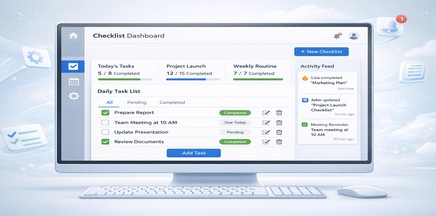

The limits of
Excel-based management
stop here.
Traditional Excel documents repeatedly create file copies, version sprawl, missed approvals, and poor visibility into progress. Themis brings the document itself into the system and controls owners, status, and approval flow in one place.
and approval flow
into one solution.
Version Confusion
With email attachments and copied files, it is hard to identify the latest version and trace edit history clearly.
Missed Approvals
It becomes difficult to see immediately who finished review, and teams end up relying on verbal updates or chat.
Delayed Status Visibility
Teams have to gather progress by document, delayed items by department, and incomplete items manually.
Limited Accountability Tracking
When authorship, approval, rejection timing, and ownership history are not preserved, audit response becomes inefficient.
with three-stage approval.
First Reviewer Input
Register inspection results, comments, attachments, and evidence images for each checklist item.
Second Reviewer Approval
Review first-stage input, approve or reject it, and keep a history of revision requests.
Third Reviewer Final Approval
At the final validation stage, confirm document-level approval and determine whether completion can be allowed.
enforced rules,
not user discretion.
Required Response Validation
Automatically verify whether the first reviewer completed all required fields.
Approval-State Linking
Connect second- and third-stage approval status directly to document-level completion eligibility.
Completion Button Control
Activate the completion button only after all reviewer actions are finished, and record the final completion timestamp in history.

Even the completion button
becomes an operational control.
Design the workflow so document completion is possible only when required responses and approval conditions are met.
into a real collaboration model.
Comments / Change Requests
Approvers can leave item-level comments and make rework points clear.
File / Image Attachments
Manage inspection photos, output files, and evidence together with the document to reduce omissions.
Stage-Based Notifications
Notify the next reviewer automatically so the approval flow continues smoothly.
Preserved Rejection History
Keep a record of who rejected what, when, and why, so teams can prevent recurrence and improve quality.
at a glance.
Aggregate completion rates and incomplete distribution by checklist document in real time.
Automatically identify overdue documents so teams can focus on the items that need action first.
Show which approval stage is causing delay concentration so teams can reduce bottlenecks.
Keep logs of who edited, approved, or completed each item and when, ensuring traceability.

Strengthen security while reducing operational overhead.
Design security together with storage and backup architecture to create a more efficient and stable operating environment.
across security, search, and backup.
DRM / Encryption
Help manage attachments and stored data under stronger protection policies.
Integrated Search
Enable fast retrieval of documents and attachments to shorten response time.
Deduplication
Optimize file storage structure to improve space efficiency and backup efficiency.
Backup Security
Design a management model that includes backup data, improving both security and stability.
deployment model
for your environment.
Air-Gapped / Network-Segmented Support
Provide architecture and deployment options that can operate in restricted security environments.
Backup / Recovery Standards
Include regular backups and disaster recovery scenarios as part of the operating standard.
Monitoring / Notifications
Route incident, delay, and expiration events into operating channels to maintain quality.
Extension / Customization
Extend fields, permissions, and integrations to match organizational policy.

Deployment designed
for your environment.
Design the most practical rollout scenario for your internal network, security rules, and data policy.
Standardize checklist operations
with Themis.
Recommended Rollout Scope
Excel template migration · checklist standardization · reviewer permissions · approval flow design · progress dashboard